AI Can See the Workforce Plan Your Spreadsheet Can't
AI's real value isn't doing your work faster. It's doing what you couldn't before, like the staffing math no human has time to map by hand.

Michael Sullivan
Senior Growth Marketer

Most conversations about AI in construction are about speed: take something you already do, do it faster, do it with fewer clicks. That’s useful. But it’s not the interesting part.
The interesting part is when AI empowers you to do something you quite literally couldn’t do before. Not a faster version of the old task; a fully new one. This post is about one of those new tasks: workforce planning, and the staffing math that no human has ever actually had time to work through by hand.
A Problem All Too Familiar
You just found out the next project needs a superintendent with healthcare renovation experience.
Good news: you have one.
Bad news: he’s already assigned to another job, that job might slip two weeks, and the owner on the new pursuit would strongly prefer someone who has survived an active hospital wing without turning the place into a procedural drama.
This is where workforce planning gets hard. Not because construction leaders can’t think through staffing. They do it constantly. It gets hard because one staffing decision is never one staffing decision.
Move one superintendent, and three other projects move with him. Shift one start date, and the plan you liked on Monday becomes a quaint first draft by Wednesday. If the plan only works when every project starts on time, congratulations: you’re now a fiction writer.
Workforce Planning Is A Constraint Problem
Most GCs already know the obvious questions:
- Who has the right project experience?
- Who is available?
- Who is almost available?
- What active job gets riskier if we move them?
- Do we need to hire?
- What happens if the start date changes?
Here is the part that makes it hard. The answer to “who is available” is almost always “nobody, not completely.” Any good GC has its people close to fully utilized at all times, because full utilization is a direct attribute of a tight operations ship. So the real question is rarely “who is free.” It’s “how do I shuffle everything around so all my jobs get staffed with the best possible combinations, especially this next one, or do we have to hire?”
The problem isn’t knowing the questions. The problem is testing the combinations.
A person can compare a few staffing plans. A very patient person with a spreadsheet and enough coffee can compare a few more. But the real answer often lives in the permutations: this person moves here, that job extends there, this pursuit becomes likely, that project needs a different PM for three months.
And the constraints are never clean. One PM can only do certain commutes, because she drives her kid to school on Wednesdays and Fridays now that her husband signed up for squash lessons those mornings. Multiply enough of those by enough people and start dates, and the whiteboard quietly gives up.
A person would pull their hair out mapping those combinations on a whiteboard, or in a spreadsheet, or even in good software. Or you could tell AI: here is all the data, here are all my people, here are their current assignments, here are the constraints, show me all the possible solutions to this problem. When the constraints and context are well defined, there absolutely is a definitive answer for a robot to give you.
If time didn’t exist, a human could absolutely go through all the permutations of a schedule. But it does exist, so a human never would. This is a specific use case where AI is excellent at doing something a human can’t.
What AI Changes
AI doesn’t make the final call. It doesn’t know that one superintendent is beloved by a specific owner, or that two of your supers haven’t willingly been in the same trailer since a disagreement about a concrete pour.
But AI can compare many possible paths quickly. It can read the same staffing context your team would review, then show the tradeoffs before the meeting starts.
Think of it as a low-budget Doctor Strange. He looks into fourteen million futures and finds the one where everyone survives. AI looks into every staffing combination and points to the one where your jobs are all covered by the best people you have.
The move is simple: give AI the constraints, then ask it to return options.
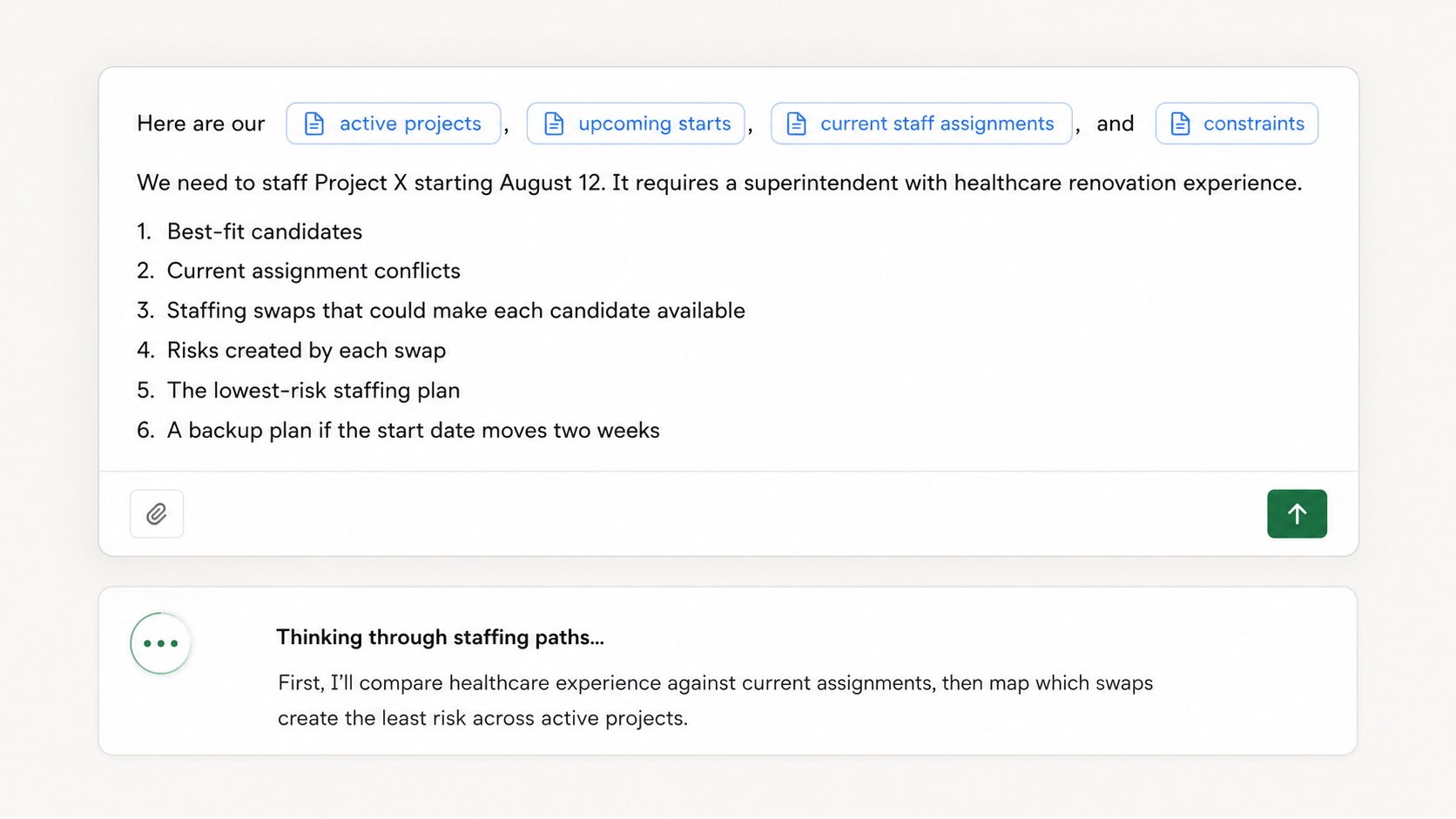
The output shouldn’t be “assign Maria.” That’s too thin.
The useful output is closer to: Maria is the best fit, but moving her creates a gap on Project A. James can cover Project A if Project B closes on schedule. If Project B slips, Option 2 is safer but puts a less experienced superintendent on Project X. Hire or borrow help if both Project B and Project C move.
That’s not magic. That’s a staffing conversation with the tedious part done first.
This is the part worth sitting with. You’re not automating something you already do. You’re doing something that wasn’t possible before. Now we’re talking about an objective leg up against your competition that doesn’t use AI like you do.
The Catch: AI Needs Real Context
All of this, of course, only works if the inputs are legit. Stale assignment dates, missing project history, or half-updated staffing notes will give you confidently somewhat right answers.
You can experiment with this in a generic AI tool. The hard part is getting the right context into the conversation every time: project history, current assignments, pursuit likelihood, start dates, owner requirements, and team experience.
That is where this gets more interesting inside Buildr. When pursuit, project, and workforce context live close together, AI doesn’t have to start from an empty prompt. It can reason from the same operating picture your team already uses. It can see a tiny edit to Mark’s schedule that was made 15 minutes ago.
The value isn’t that AI picks the superintendent. The value is that it shows the staffing paths before your team has to make the call.
That’s a different kind of workforce planning. Less whiteboarding that looks more confusing than a map of the backrooms. More options on the table before the room decides.
See how Buildr connects workforce planning with live preconstruction context with a trial today.